 VRAI Defense
Everything your team needs to act on what cameras see.
Detection, rules, delivery and evidence in one product, running on your own computer. What each plan includes is on the pricing page.
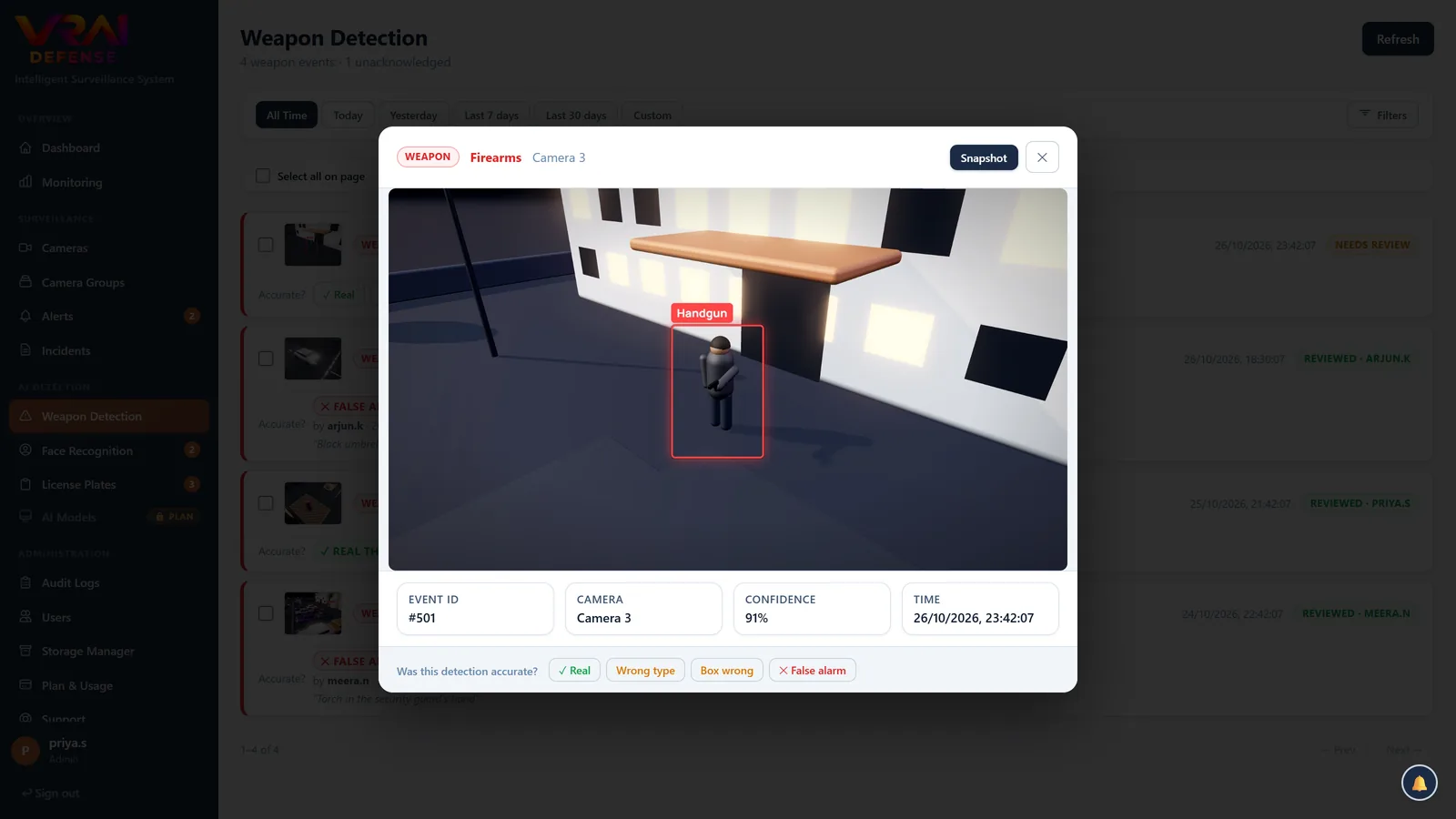
Handguns, rifles, knives and grenades.
A dedicated weapon model checks each camera up to ten times a second; how often depends on how many cameras share the computer (see hardware). To cut false alarms, a weapon alerts only when it is held by or close to a person, and firearms and blades each have their own threshold, so tuning out a false knife never makes a real gun harder to detect.
- Zoomed second look. Small or distant weapons are checked again on a close crop of the person holding them.
- Review in one click. Real, False alarm, Wrong type or Box wrong — the record of how each camera performs.
- Its own page. Every weapon event with its snapshot, clip and verdict.
Rules drawn on the picture itself.
Draw on a camera's view and decide what happens there. People, vehicles and animals are detected out of the box.
- Restricted zones — anyone entering raises an alert.
- Line crossing — for gates, fences and perimeters.
- Loitering — someone staying longer than you allow.
- Abandoned objects — a bag left in a lobby beyond a set time.
- Per-camera control — confidence, how often it looks, and how long to stay quiet after an alert.
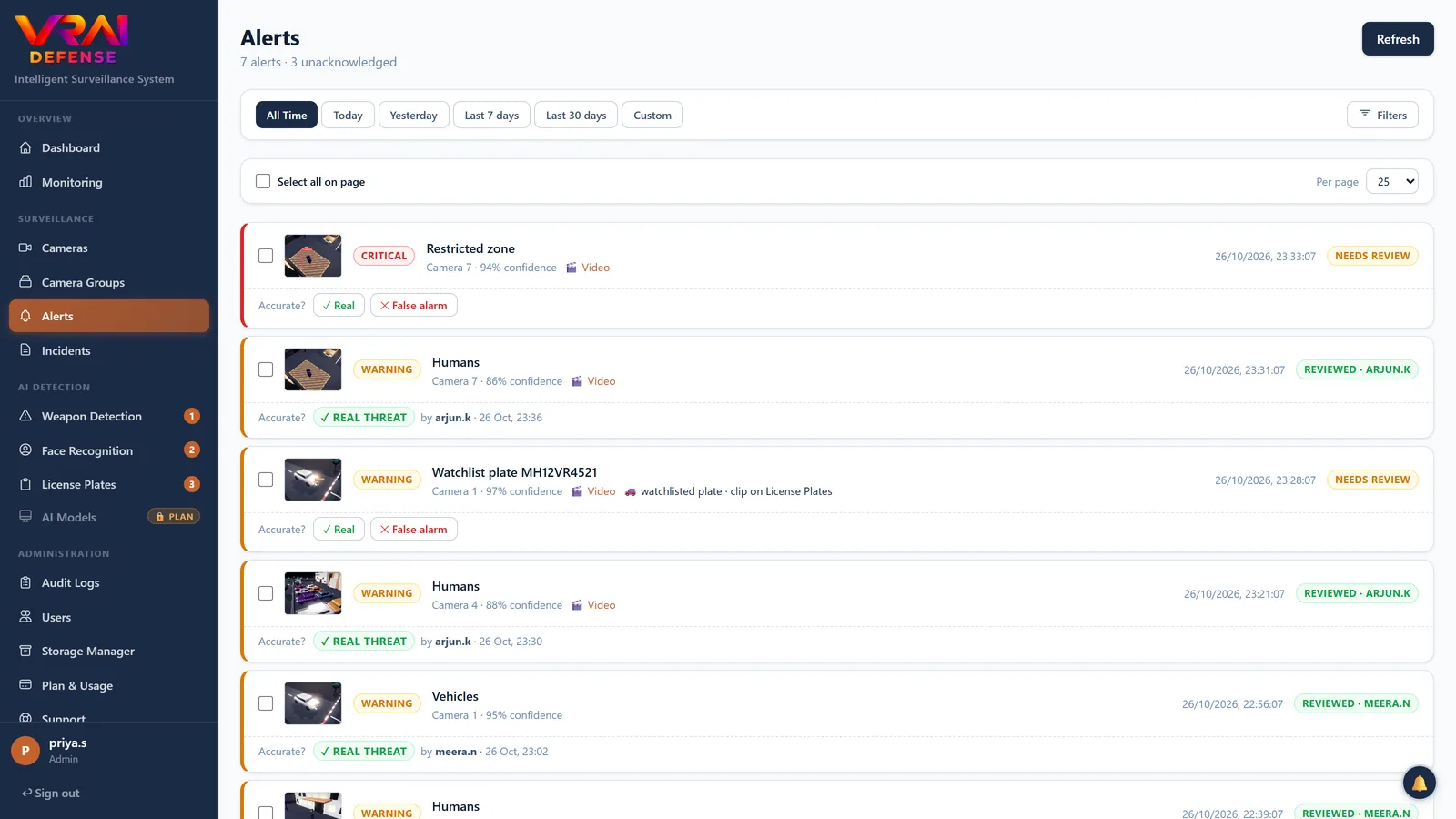
Every vehicle in and out, read and searchable.
Plates are found and read on the cameras you choose, including Indian formats. Watchlists alert when a listed vehicle appears, and near misses — one character misread — are flagged instead of lost.
- Watchlists — wanted, banned or VIP vehicles, each with its own alert.
- Footage for every read — the clip around the moment the plate was seen.
- Registration lookup — connect your own vehicle-data provider.
- Export — any period's reads as a CSV.
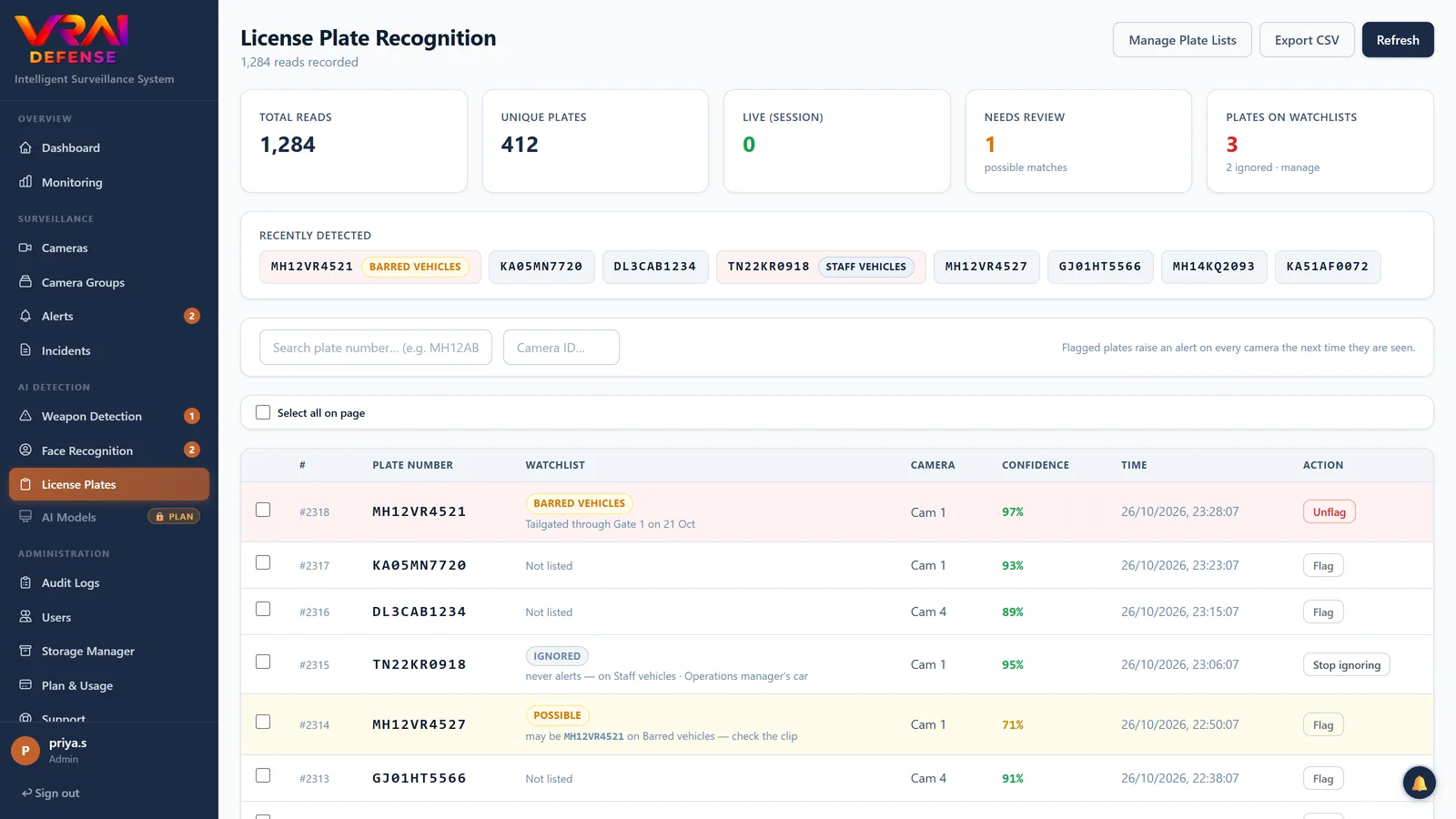
Know when someone on your list arrives.
Enrol the people who matter — staff, VIPs, or people barred from the premises — with a few photographs, and VRAI Defense alerts when it recognises them. Each sighting is kept for review with its picture.
- Watchlists with their own alert severity.
- Sightings reviewed and confirmed by a person.
- On your server — face data never leaves it.
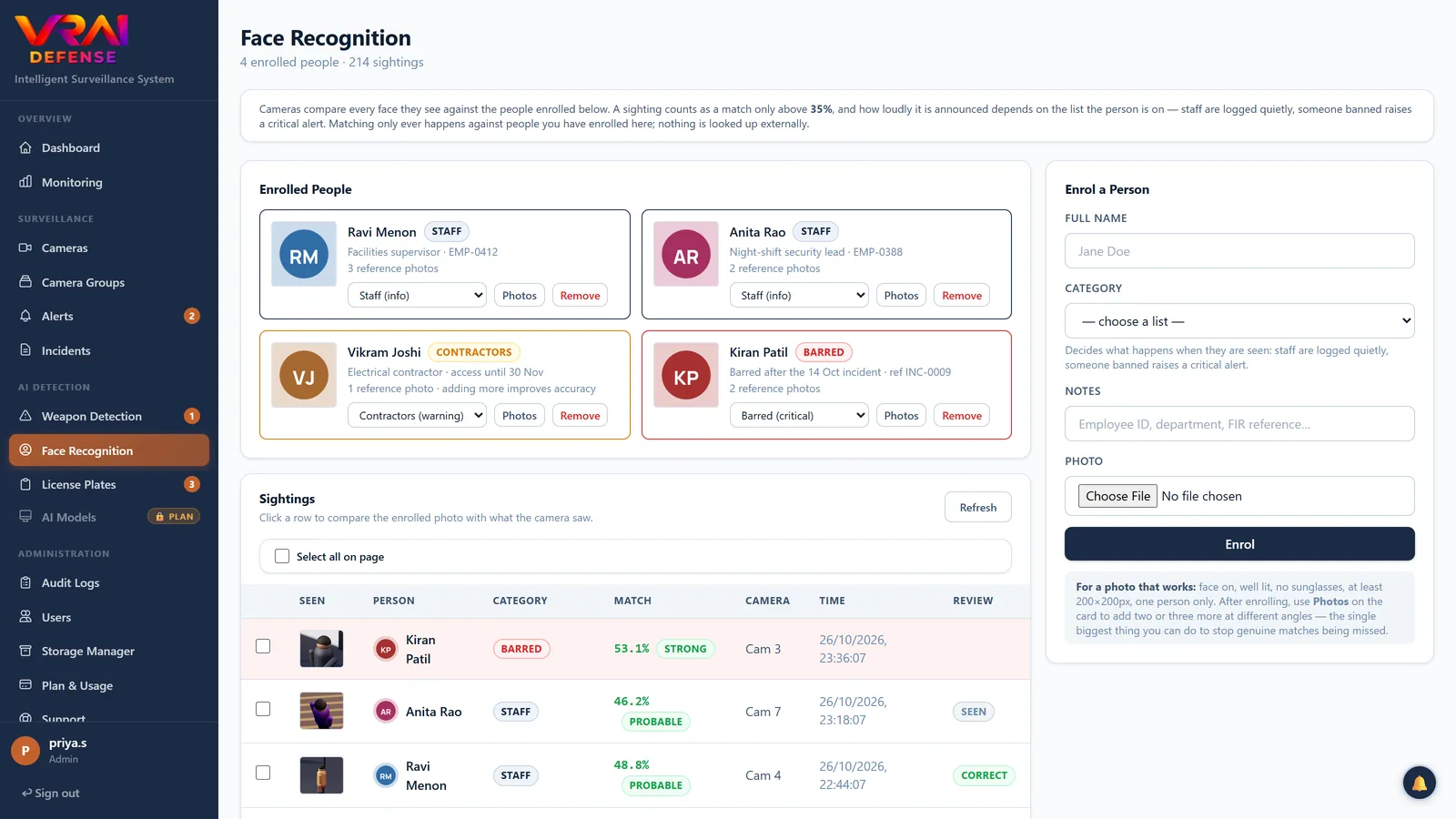
The right alert, to the right person, in seconds.
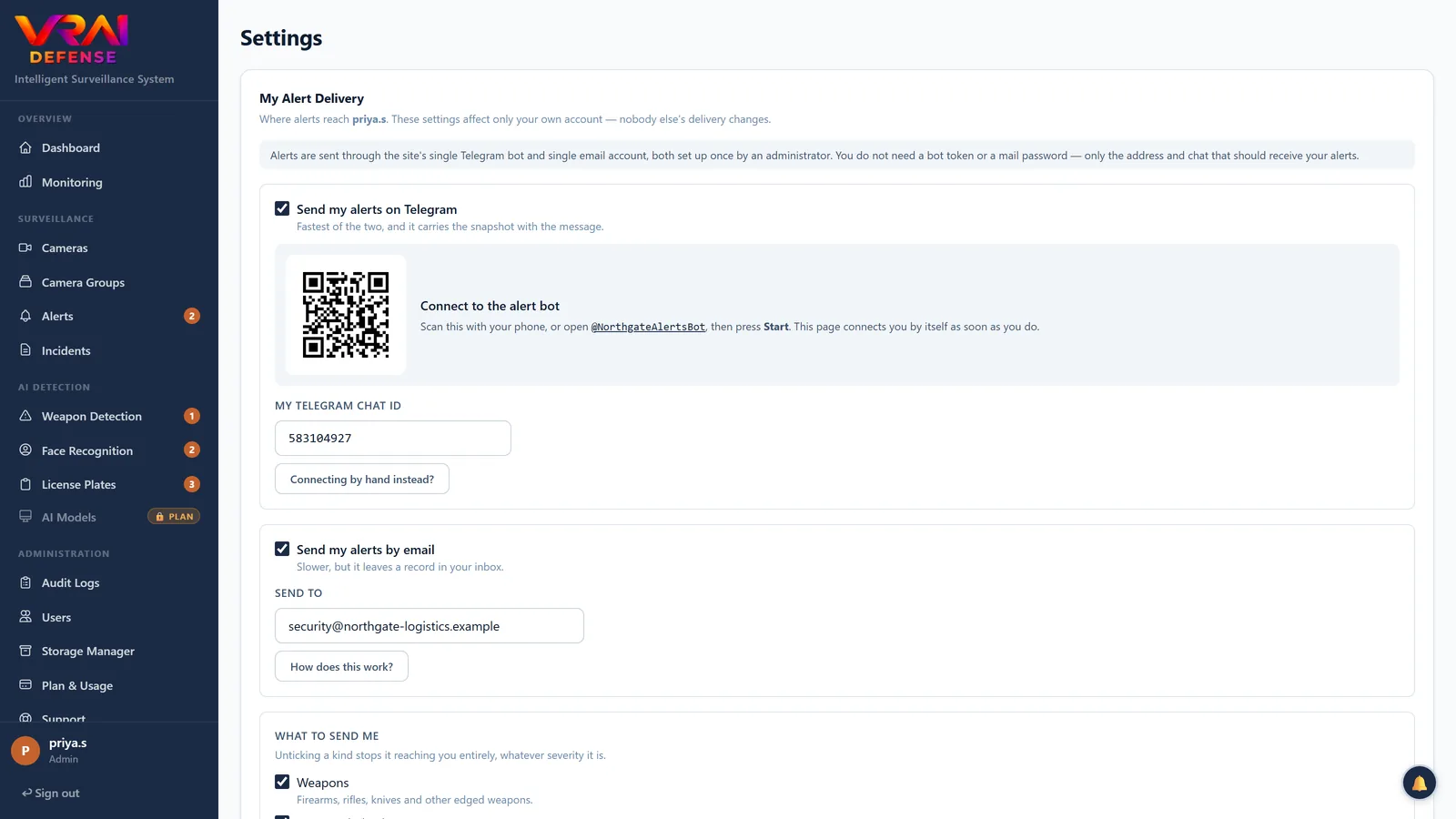
Alerts appear on screen at once and go to each person the way they chose. Telegram links itself: scan a code, press Start, done.
- Telegram and email, each with the snapshot.
- Per person — which kinds of alert, and how serious, reach them.
- Cooldowns — one alert per event, not one per frame.
- Clips — a short video around the moment, for serious alerts.
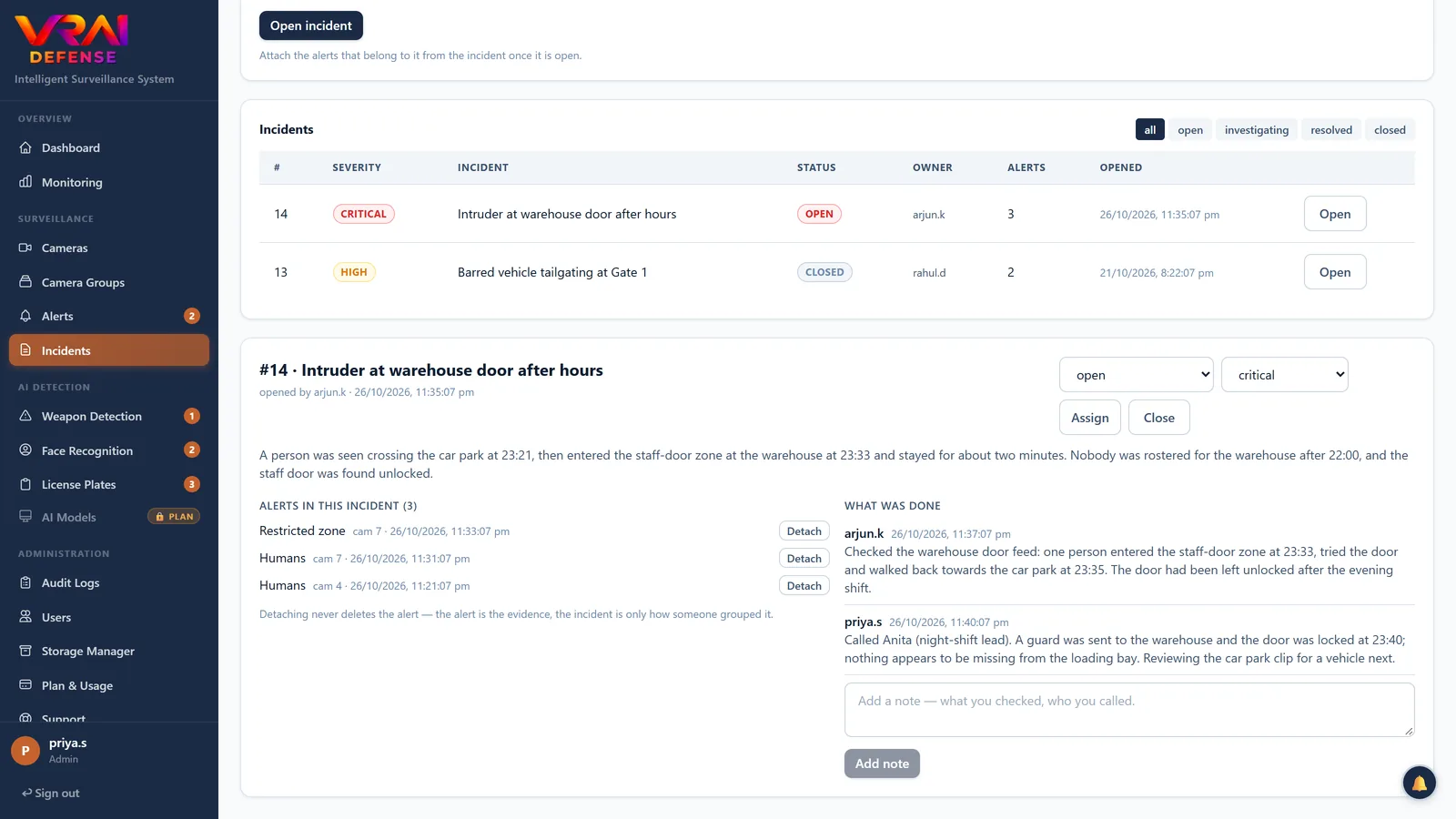
One event, one owner, one record.
Fifteen alerts from one intruder crossing four cameras are one incident. Group them, assign it, write down what was done and close it.
- Incidents with severity, owner, notes and status.
- Evidence chain — each snapshot and clip is hashed into a chain, so you can show nothing was altered.
- Retention — evidence is kept for your plan's period, then removed automatically.
Works with what you already have.
IP & NVR
Any RTSP stream — main and sub-stream — from cameras and recorders.
ONVIF discovery
Scan the network and add the cameras it finds, without typing addresses.
Webcams
USB and built-in cameras through the Windows tray app, around the clock.
Drones
Stream over RTMP straight into the same detection and alerts.
Built to be run by a team, and looked after by one person.
Users & roles
Admin, manager, operator and viewer — each sees and changes only what their role allows.
Audit log
Who changed what, and when — settings, cameras, reviews and sign-ins.
Monitoring
Camera health, processing load, GPU and memory, and whether the AI is keeping up.
Backups
Daily database backups, downloadable, and a restore that undoes itself if it fails.
Performance & compute
Run the AI on the GPU, the processor, or split between them.
Custom detection
Train a detector for something of your own — a uniform, a product, a hard hat — from your own labelled images.
See what your plan includes.
Every plan has the core detections; weapons, plates and faces depend on the plan.